
In order to keep the census correct the day-stay residents must be admitted and discharged regularly. In most cases, you will include a move-in and move-out (with a time of the day) on the same date.
Re-admit:
To find a day-stay resident or any other resident that has been previously admitted -
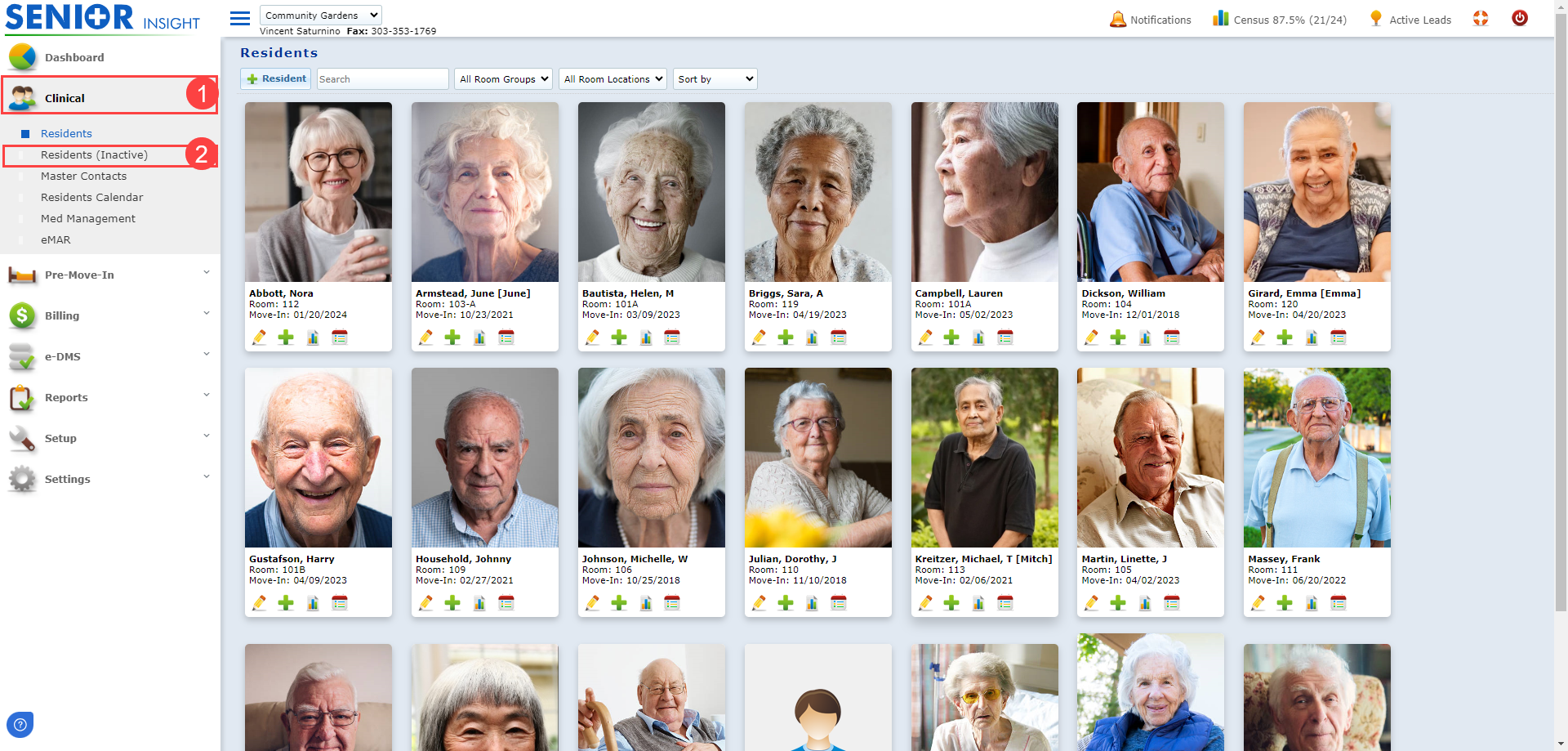
#1. Go to the 'Clinical' menu and click on 'Residents (Inactive)'.
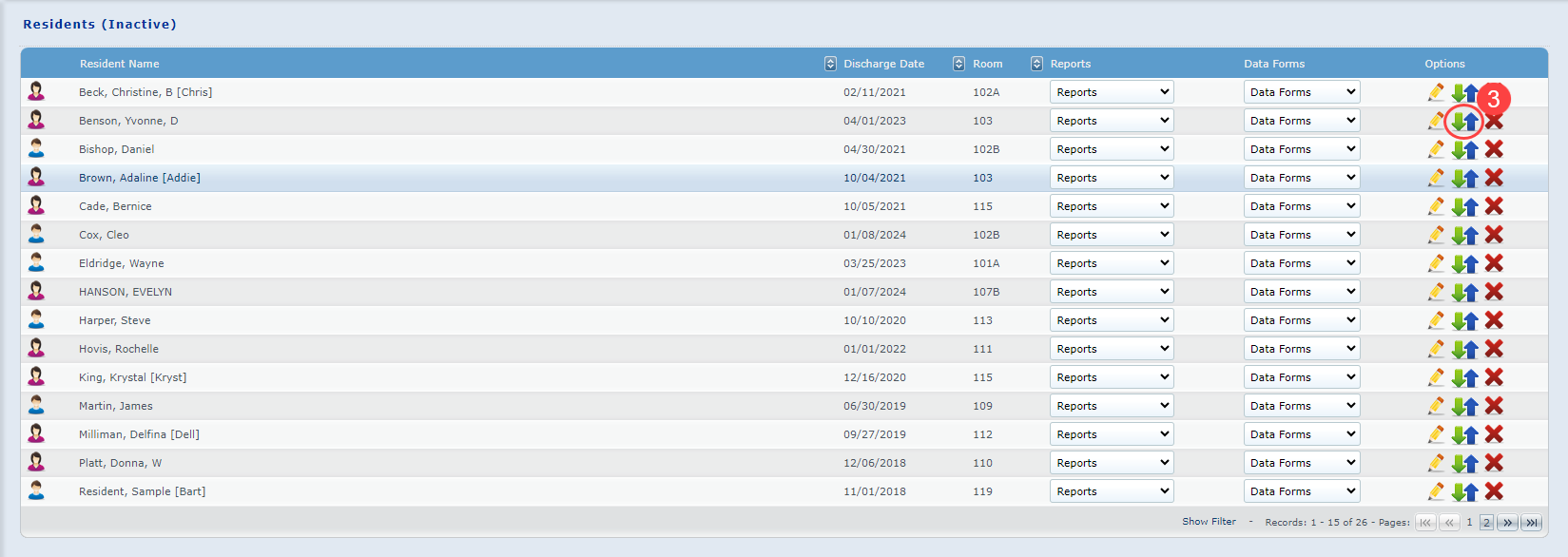
#2. Once in inactive residents select the green and blue arrows to enter the resident's census.
#3. Once in the resident's census, select "Readmit".

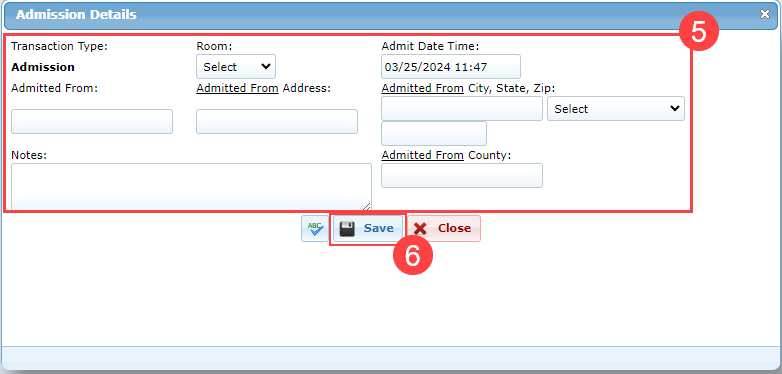
#4. Admission Details:
- Make the necessary changes. i.e. select appropriate 'Room' and enter appropriate 'Admit Date Time'.
- For "Room" make sure "Day-Stay" is selected for day stay residents.
- Click on the 'Save' button.
Discharge:
#1. When the resident leaves -
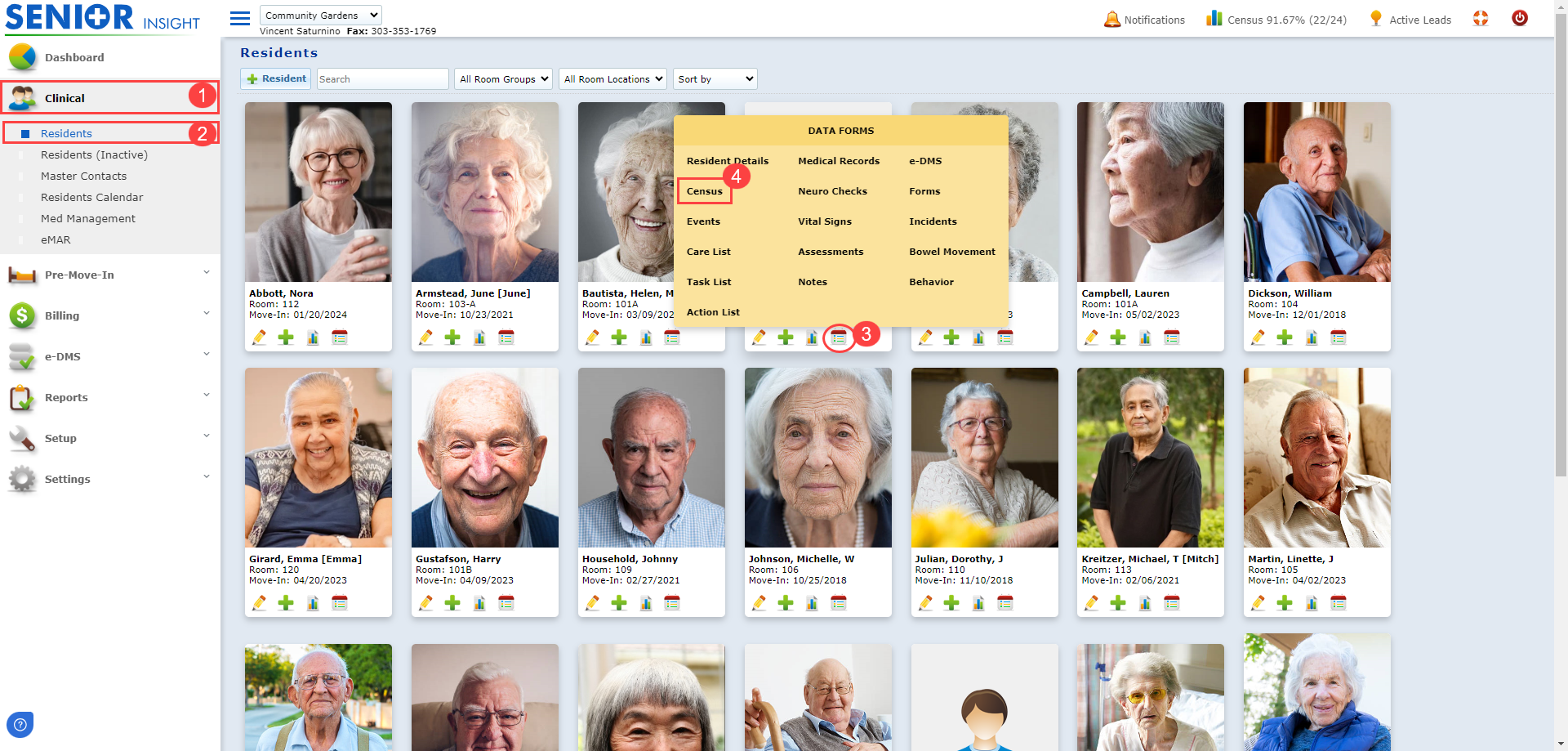
- Go to 'Clinical - Residents'.
- Click on the 'Data Forms' icon for the appropriate resident and select 'Census'.
#2. Resident Census:
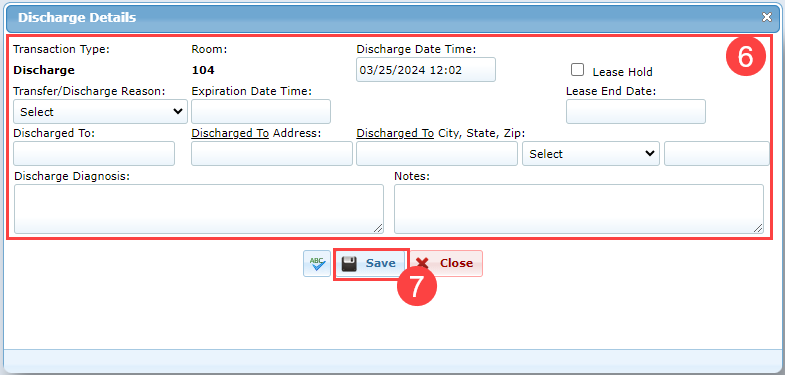
- Select 'Discharge'.

- Select/Enter the appropriate information of discharge and click on the 'Save' button.
The re-admission and discharge are then indicated in this resident's census.

Note: To edit any census transaction, click on the 'pencil(edit)' icon. Change the necessary information and Save.